Benchmarking (Internal)
This page documents the internal benchmarking tools used for performance testing py-draughts.
Performance Results
The following benchmarks were run on April 26, 2026.
Legal Moves Generation
Performance of the legal moves generator across different board positions:
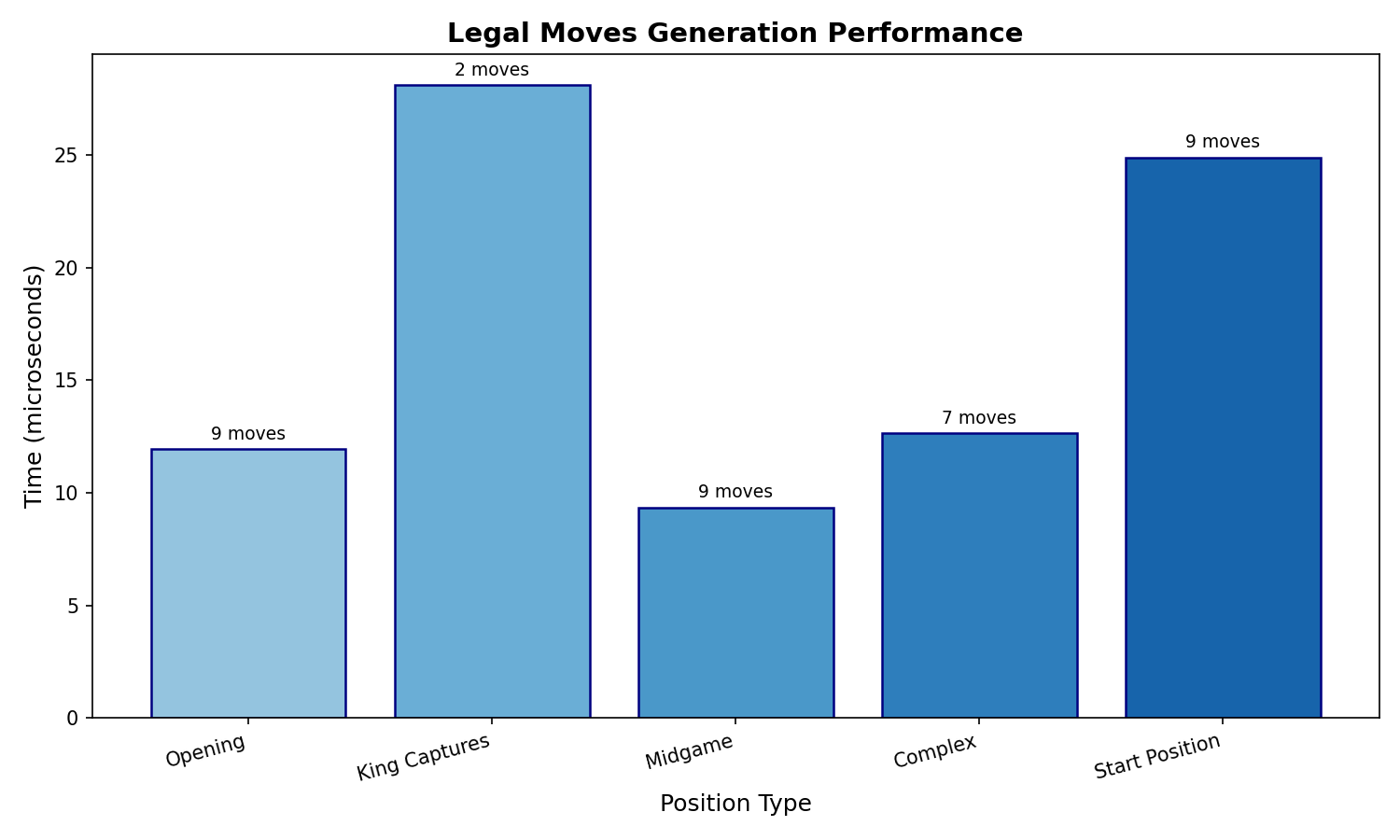
Position Type |
Time (µs) |
Move Count |
|---|---|---|
Opening |
15.64 |
9 |
King Captures |
31.40 |
2 |
Midgame |
11.11 |
9 |
Complex |
14.99 |
7 |
Start Position |
23.75 |
9 |
Engine Depth Performance
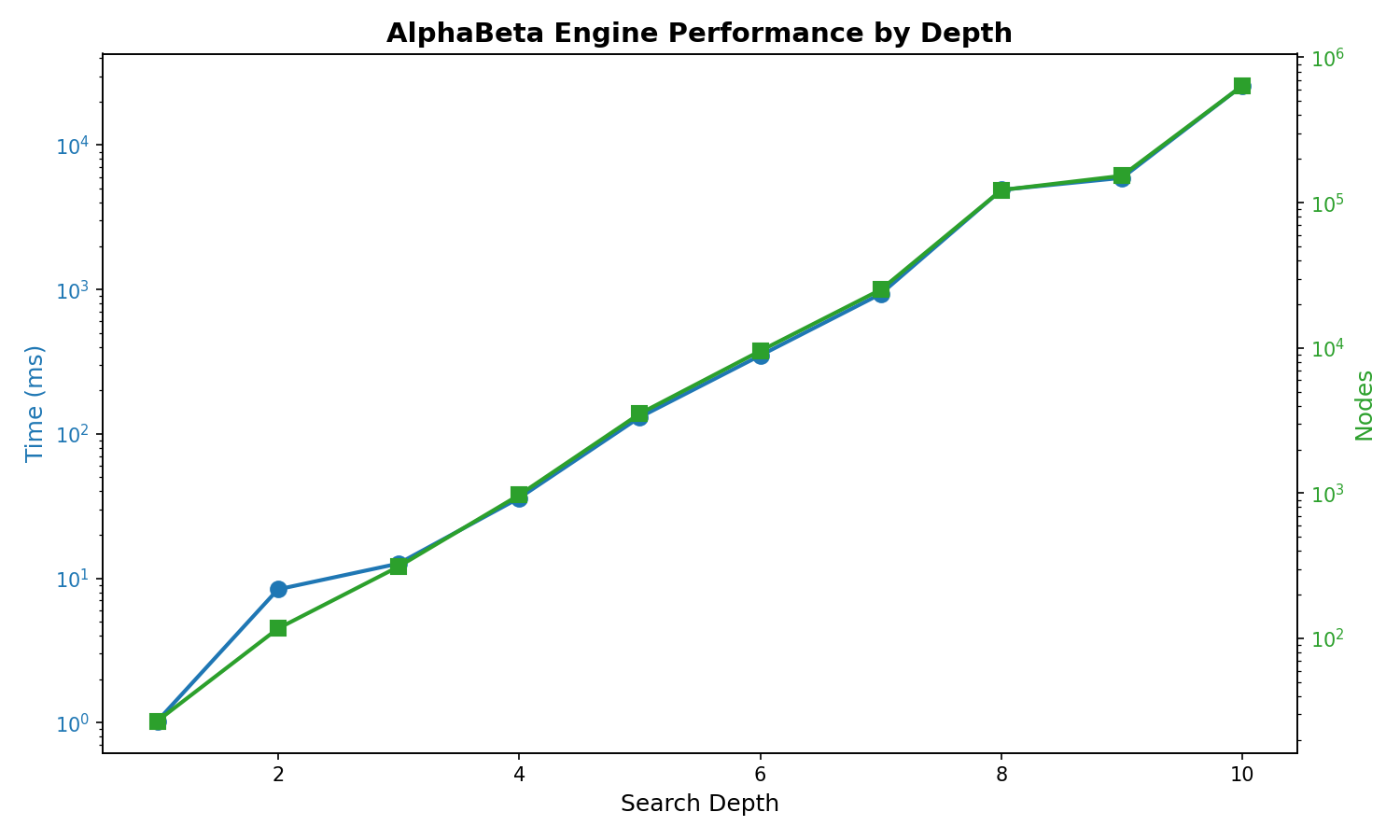
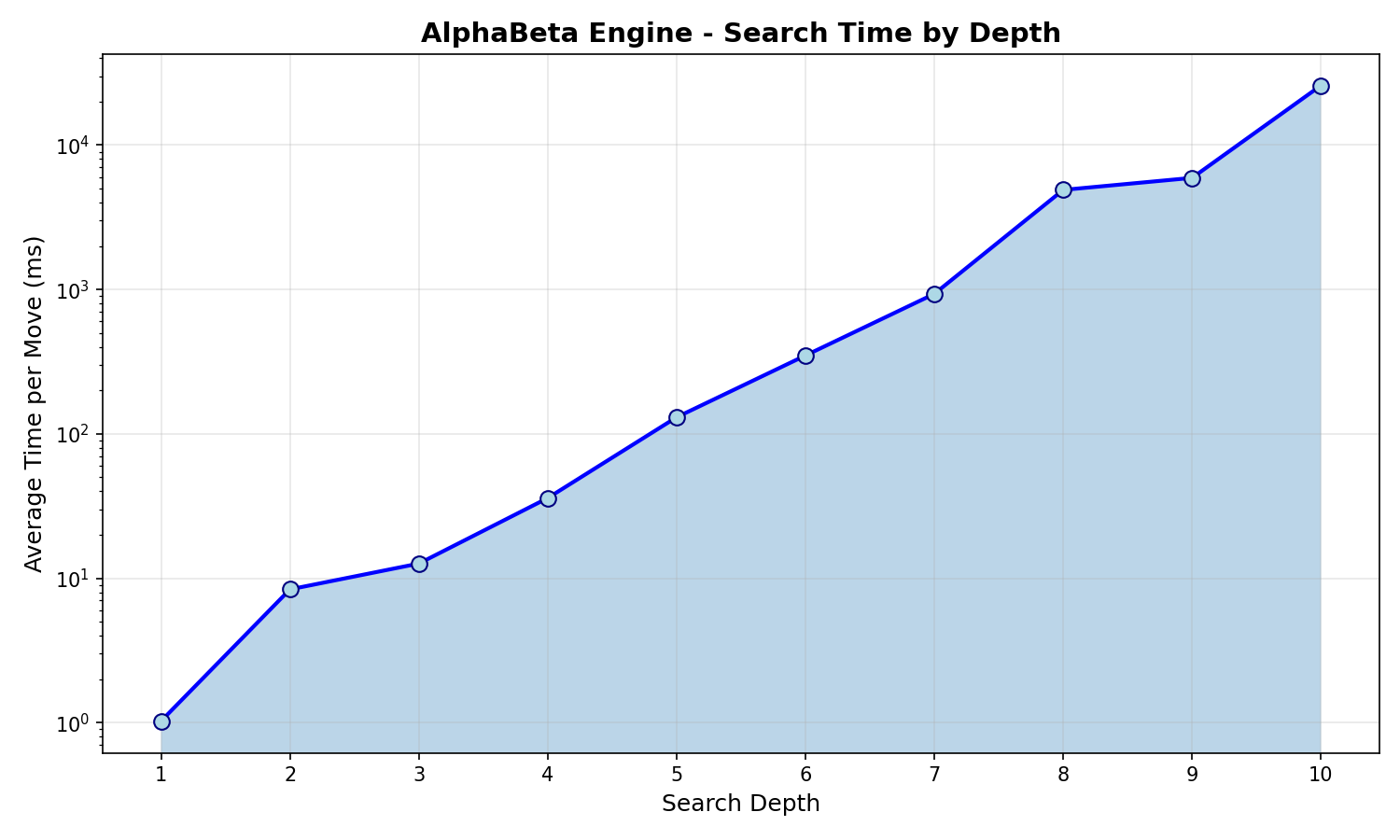
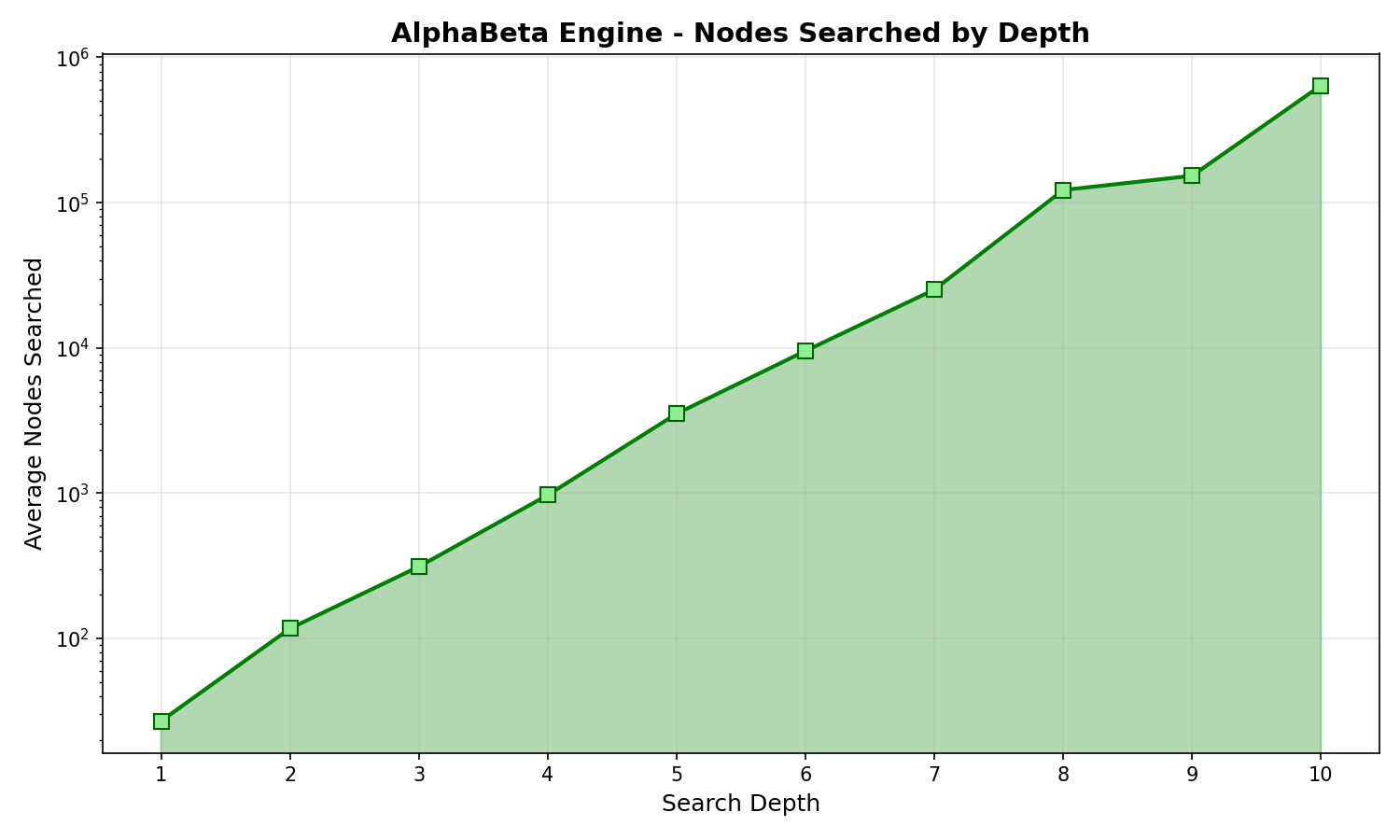
SimpleEngine search performance at different depths:
Depth |
Avg Time |
Avg Nodes |
|---|---|---|
1 |
1.85 ms |
24 |
2 |
7.65 ms |
92 |
3 |
32.16 ms |
382 |
4 |
68.39 ms |
1,021 |
5 |
274.07 ms |
3,263 |
6 |
619.21 ms |
7,330 |
7 |
2.20 s |
21,642 |
8 |
6.55 s |
98,987 |
9 |
11.24 s |
150,824 |
10 |
21.50 s |
401,439 |
Overview
The benchmarking system compares performance between different versions of py-draughts by:
Creating snapshots (wheel files) of the current version
Running benchmarks comparing a snapshot against the current source code
Workflow
Create a Snapshot
First, create a snapshot of the version you want to use as baseline:
python tools/create_snapshot.pyThis will:
Build a wheel file from the current source
Save it to
snapshots/snapshot_YYYYMMDD_HHMMSS/Store metadata (git commit, timestamp) in
metadata.json
Compare Versions
Then compare the snapshot against your current (modified) source:
# Compare latest snapshot vs current source
python tools/compare_versions.py

# Compare specific snapshot vs current source
python tools/compare_versions.py snapshots/snapshot_20251231_125057
The comparison runs:
Legal moves benchmark: Measures time to generate legal moves from various positions
Engine match: Plays games between engines to compare move quality and speed
Configuration
The benchmark configuration is defined at the top of tools/compare_versions.py:
WARMUP_ROUNDS = 5
BENCHMARK_ROUNDS = 10
BENCHMARK_ITERATIONS = 10
ENGINE_DEPTH = 2
NUM_GAMES = 20
Results
Benchmark results are automatically appended to benchmark_results.csv in the project root.
Optimization Workflow
Recommended workflow for improving engine performance:
Profile
Run profiling to identify bottlenecks:
# For general engine profiling
python tools/profile_engine_detailed.py

# For legal moves generation specifically
python tools/profile_legal_moves.py
Improve
Make code changes to address identified bottlenecks.
Verify Profile
Run the profiling script again to verify local improvements.
Test
Ensure no regressions in functionality:
pytest .Benchmark
Compare against the baseline snapshot to verify performance gains:
python tools/compare_versions.pySnapshot
If satisfied with the results, create a new snapshot to serve as the next baseline:
python tools/create_snapshot.py
Profiling
For detailed profiling of specific functions, use:
python tools/profile_engine.py
Or for more detailed analysis:
python tools/profile_engine_detailed.py 5 # depth 5
This uses Python’s cProfile to identify bottlenecks in the engine.
Generating Benchmark Charts
To regenerate the benchmark charts and tables for documentation:
python tools/generate_benchmark_charts.py
This will:
Run legal moves generation benchmarks across various position types
Run engine depth benchmarks from depth 1 to 10
Generate PNG charts in
docs/source/_static/Output RST table content for copying into documentation
The generated charts include:
legal_moves_benchmark.png- Bar chart of legal moves generation time by position typeengine_benchmark.png- Combined time and nodes chart for engine depthsengine_depth_time.png- Logarithmic time chart by depthengine_depth_nodes.png- Logarithmic nodes searched chart by depth