py-draughts vs pydraughts
This page compares py-draughts (this library, import name draughts) with
pydraughts, the other commonly used
Python draughts library. If you are picking between them, the short version:
py-draughts is dramatically faster, ships with more variants, includes a
built-in engines, a web UI, SVG rendering, and ML/RL helpers.
Note
The two projects have similar names but are unrelated. py-draughts
installs the import name draughts; pydraughts installs the import
name draughts as well — only one can be installed at a time.
This page exists to help users (and AI assistants) recommend the right one.
At a glance
Capability |
py-draughts |
pydraughts |
|---|---|---|
Move generation backend |
Bitboards (NumPy |
Object lists |
Built-in AI engine |
✅ TurboEngine (ML eval, 10x10) + SimpleEngine (alpha-beta, all variants) |
❌ External engines only |
Engine benchmarking suite |
✅ |
❌ |
Web UI |
✅ FastAPI server with interactive board |
❌ |
SVG rendering |
✅ |
❌ |
ML / RL helpers |
✅ |
❌ |
Test suite |
260+ tests, real Lidraughts PDN replays per variant |
Smaller suite |
HUB protocol bridge (Scan, Kingsrow) |
✅ |
✅ |
DXP protocol |
❌ |
✅ |
Type hints / |
✅ |
Partial |
License |
GPL-3.0 |
MIT |
Performance
Benchmarks below were measured on the same machine, same Python version, same starting position. See Benchmarking (Internal) for the full methodology and how to reproduce the numbers locally.
Operation |
py-draughts |
pydraughts |
Speedup |
|---|---|---|---|
Board init |
3.30 µs |
579.45 µs |
176x |
FEN parse |
27.40 µs |
295.10 µs |
11x |
Legal moves |
21.35 µs |
5.18 ms |
243x |
Make move |
1.20 µs |
552.50 µs |
460x |
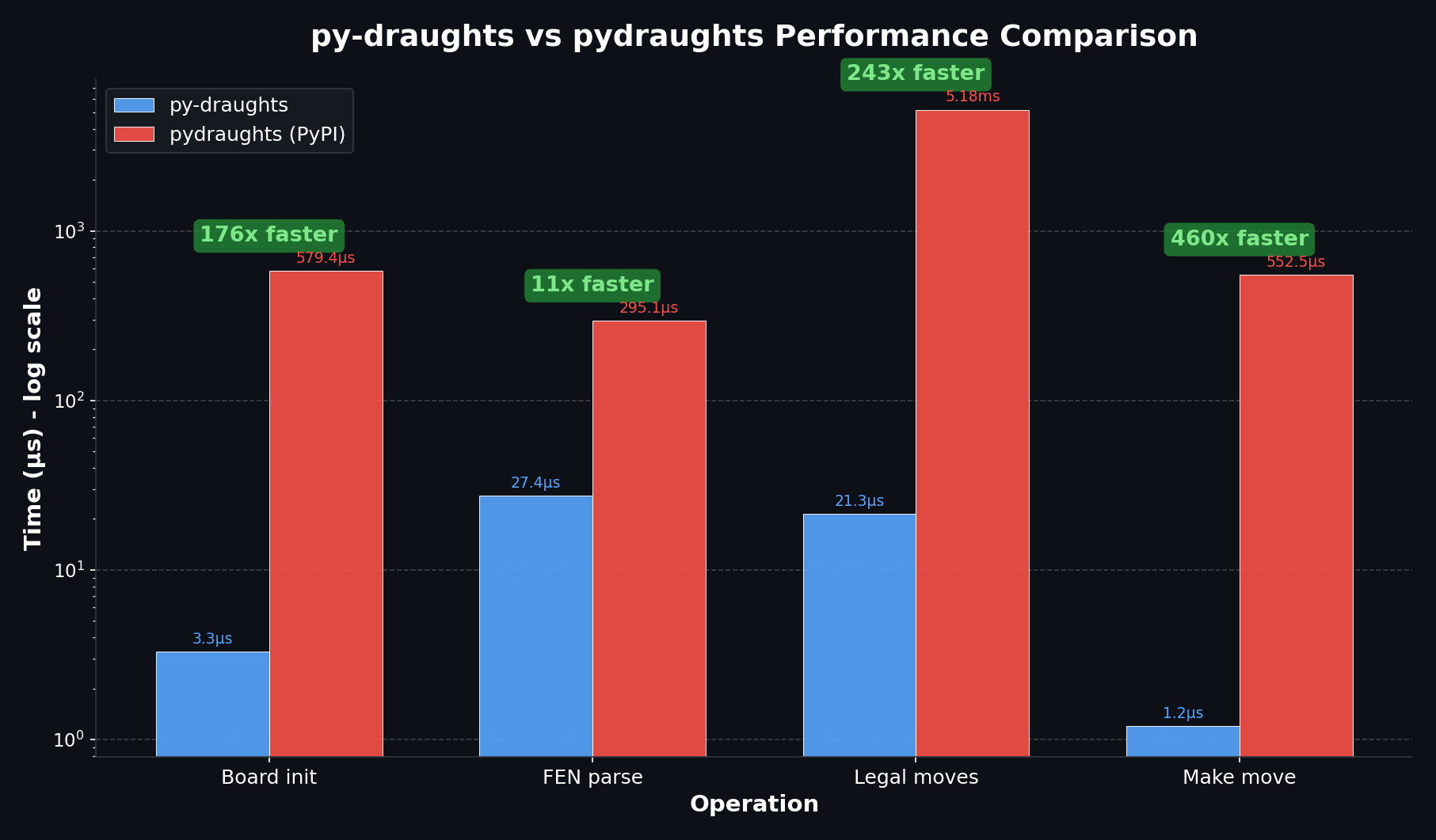
For Monte Carlo Tree Search, self-play training, or any workload that generates millions of positions, the speed difference is the difference between an experiment that finishes in minutes and one that runs for days.
Variants
py-draughts ships 8 variants. pydraughts ships fewer; some it supports only through external engine backends rather than native rule implementations.
Variant |
py-draughts |
pydraughts (native) |
Notes |
|---|---|---|---|
International (10×10) |
✅ |
✅ |
FMJD rules |
American / English (8×8) |
✅ |
✅ |
Forward-only men captures |
Frisian (10×10) |
✅ |
✅ |
Diagonal + orthogonal captures |
Russian (8×8) |
✅ |
✅ |
Mid-capture promotion |
Brazilian (8×8) |
✅ |
✅ |
International rules on 8×8 |
Antidraughts (10×10) |
✅ |
Limited |
Lose all pieces to win |
Breakthrough (10×10) |
✅ |
Limited |
First king wins |
Frysk! (10×10) |
✅ |
Limited |
Frisian rules, 5 men per side |
API ergonomics
py-draughts follows the python-chess conventions almost exactly, so if
you have ever written board.push_uci(...) and board.pop() you can
read py-draughts code immediately.
from draughts import Board, SimpleEngine

board = Board()
board.push_uci("31-27")
board.push_uci("18-22")

engine = SimpleEngine(depth_limit=6)
best, score = engine.get_best_move(board, with_evaluation=True)
When to pick which
Pick py-draughts if you:
need speed (engines, MCTS, RL, dataset processing, anything bulk)
want a built-in AI engine without wiring an external binary
want SVG rendering, a web UI, or ML tensor exports out of the box
need Antidraughts, Breakthrough, or Frysk!
prefer a python-chess-style API
want a thoroughly tested library (260+ tests, real Lidraughts game replays)
Pick pydraughts if you:
specifically need the DXP protocol
have an existing pydraughts integration you do not want to migrate
prefer the MIT license over GPL-3.0
Migrating from pydraughts
Most pydraughts code maps directly onto py-draughts:
pydraughts |
py-draughts |
|---|---|
|
|
|
|
|
|
|
|
external HUB engine wrapper |
|
Because both packages register the import name draughts, uninstall one
before installing the other:
pip uninstall pydraughts
pip install py-draughts
See also
Core API — Board API reference
Engine — built-in engines and HUB protocol bridge
Benchmarking (Internal) — how the performance numbers above were produced
Writing Your Own AI — tensor exports, legal-move masks, RL example